The XeresDocs tour
A council's records, start to finish
Eight steps through the real product. Northbridge Borough Council is made up; everything you see on screen is XeresDocs as its staff would use it.
Step 1 of 8
Start from everything you can open
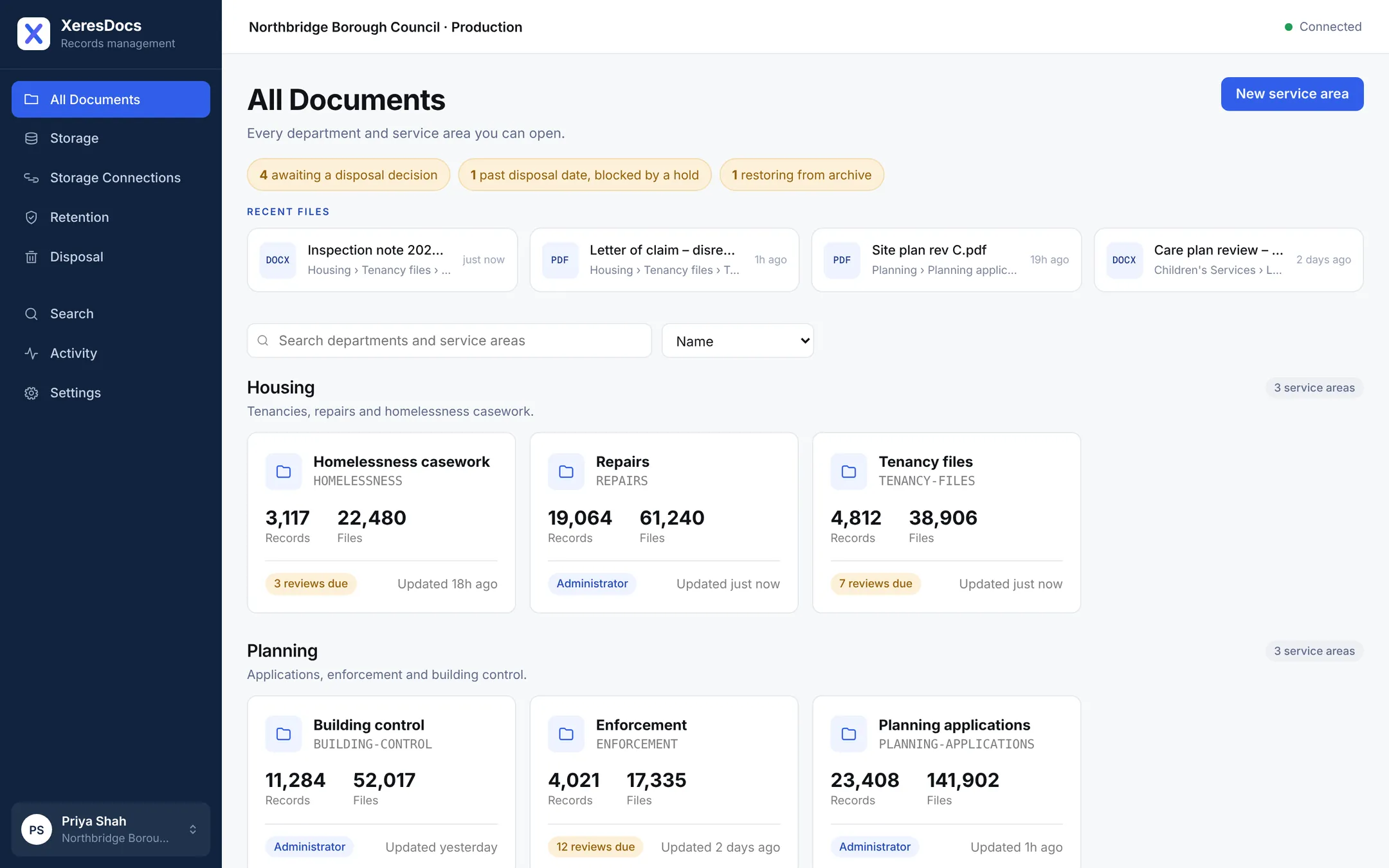
Priya Shah manages records at Northbridge Borough Council. When she signs in, she sees every department she can reach, the files she touched last, and anything waiting on a decision.
- Work waiting on somebody. Records due a disposal decision, one held back by a legal hold, one coming back from the archive.
- Recent files. Pick up where you left off, with only what you're still allowed to open.
- Each service area at a glance. How many records and files it holds, and how many reviews are due.
Step 2 of 8
A record, not a folder
Documents are filed against a record, here the tenancy at 14 Elm Row. The record carries the details that matter and decides how long everything in it is kept.
- A legal hold. A disrepair claim has arrived, so nothing in this record can be changed or destroyed until the hold is lifted.
- The record's details. Tenant, address and dates, plus the schedule it is kept to: end of tenancy plus six years.
- Every file covered. Letters, photos, emails and spreadsheets all inherit the record's hold and its keep-until date.

Step 3 of 8
Open it without downloading it
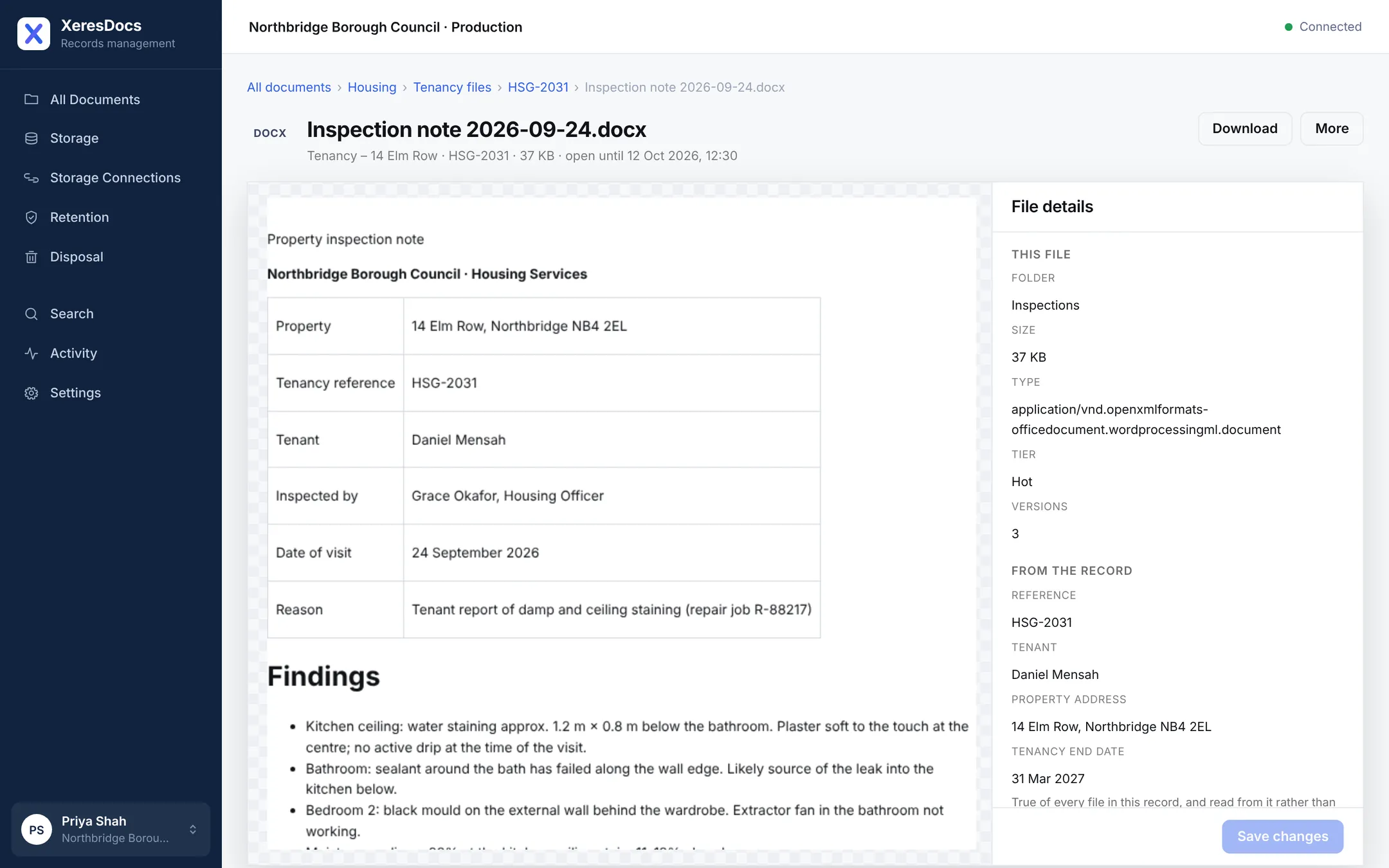
Grace Okafor's inspection note opens straight in the page. Nothing is saved to anybody's laptop, and nothing hidden in the file can run.
- The document itself. Shown safely in the page, exactly as it was written.
- What it belongs to. Its folder, its three versions and the details of the record it sits in.
- Download when you need to. Every download is written to the history, with who and when.
Step 4 of 8
Find anything in seconds
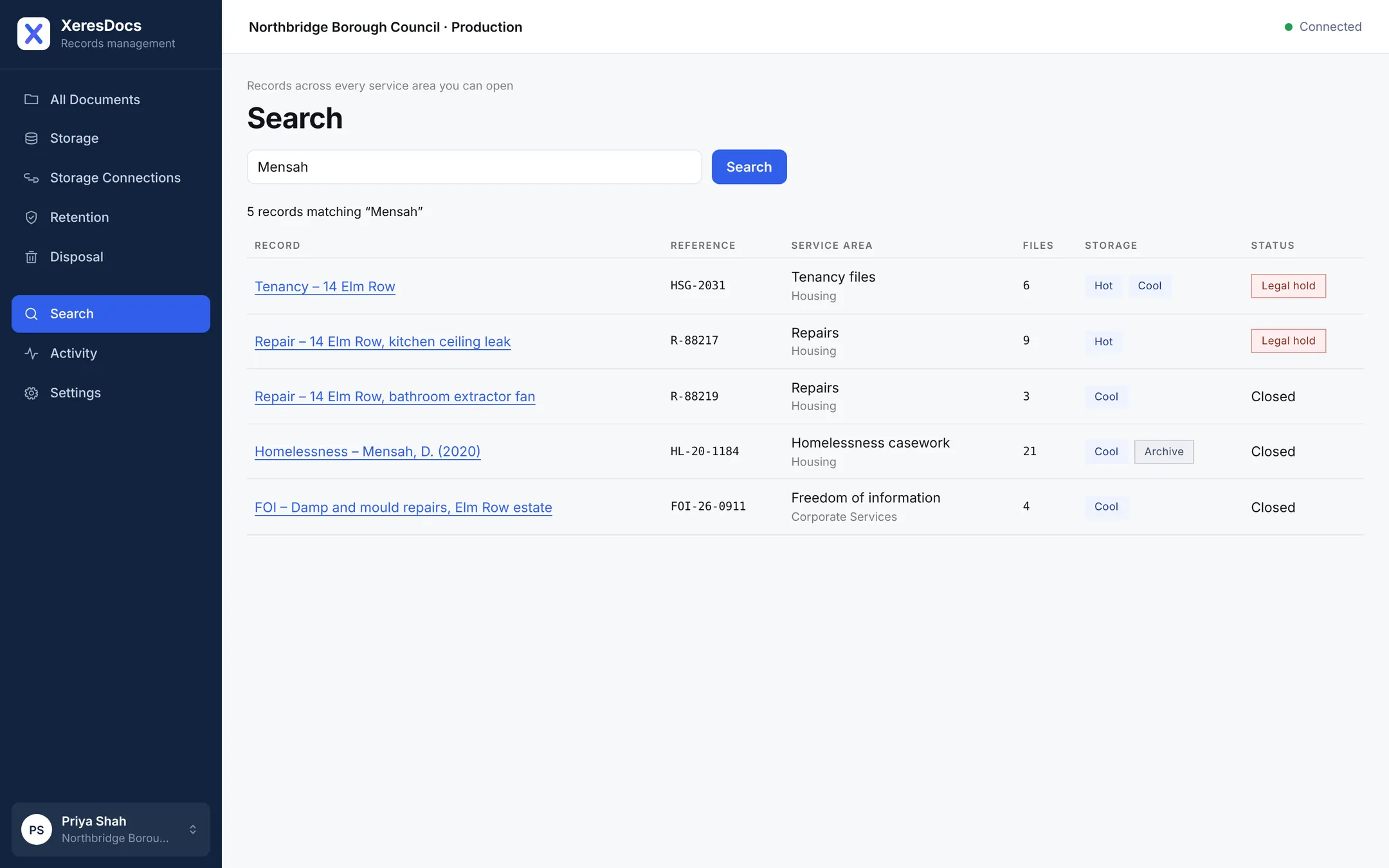
A subject access request names Daniel Mensah. One search finds his tenancy, his repairs, an old homelessness case and an FOI request, across three service areas.
- One search box. Search by name, reference or any detail recorded on a record.
- Results from every service. Each shows where it lives and whether it is held. You only ever see records you're allowed to open.
Step 5 of 8
The right people, and nobody else
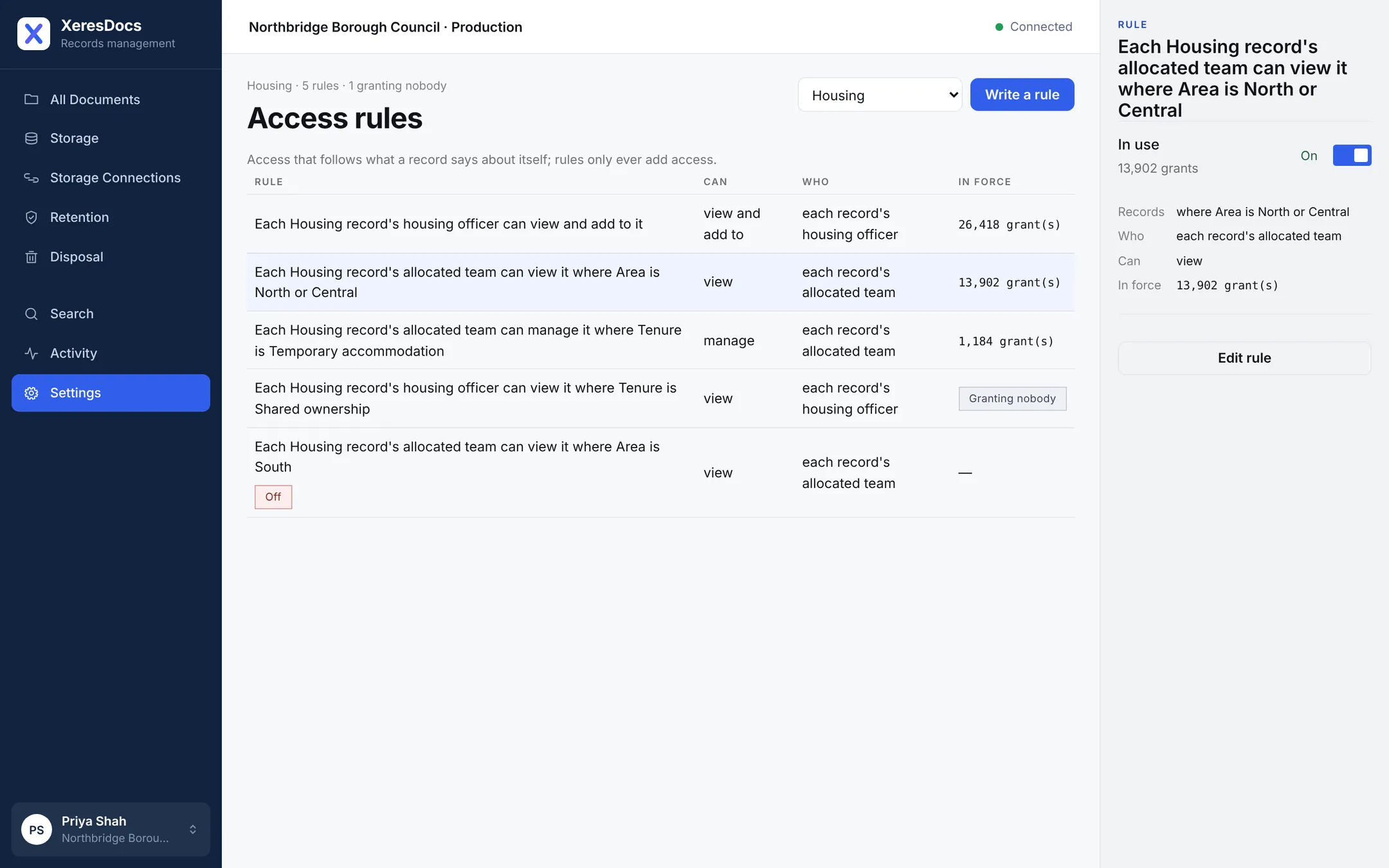
Rules are written as plain sentences. Here, each Housing record's allocated team can see it, so officers see their own cases rather than the whole department.
- A rule in plain words. The team named on each record can view it, where the area is North or Central.
- Proof it's working. 13,902 people-and-record pairs are covered by this rule right now.
- Mistakes are flagged. A rule that reaches nobody says so, rather than quietly doing nothing.
Step 6 of 8
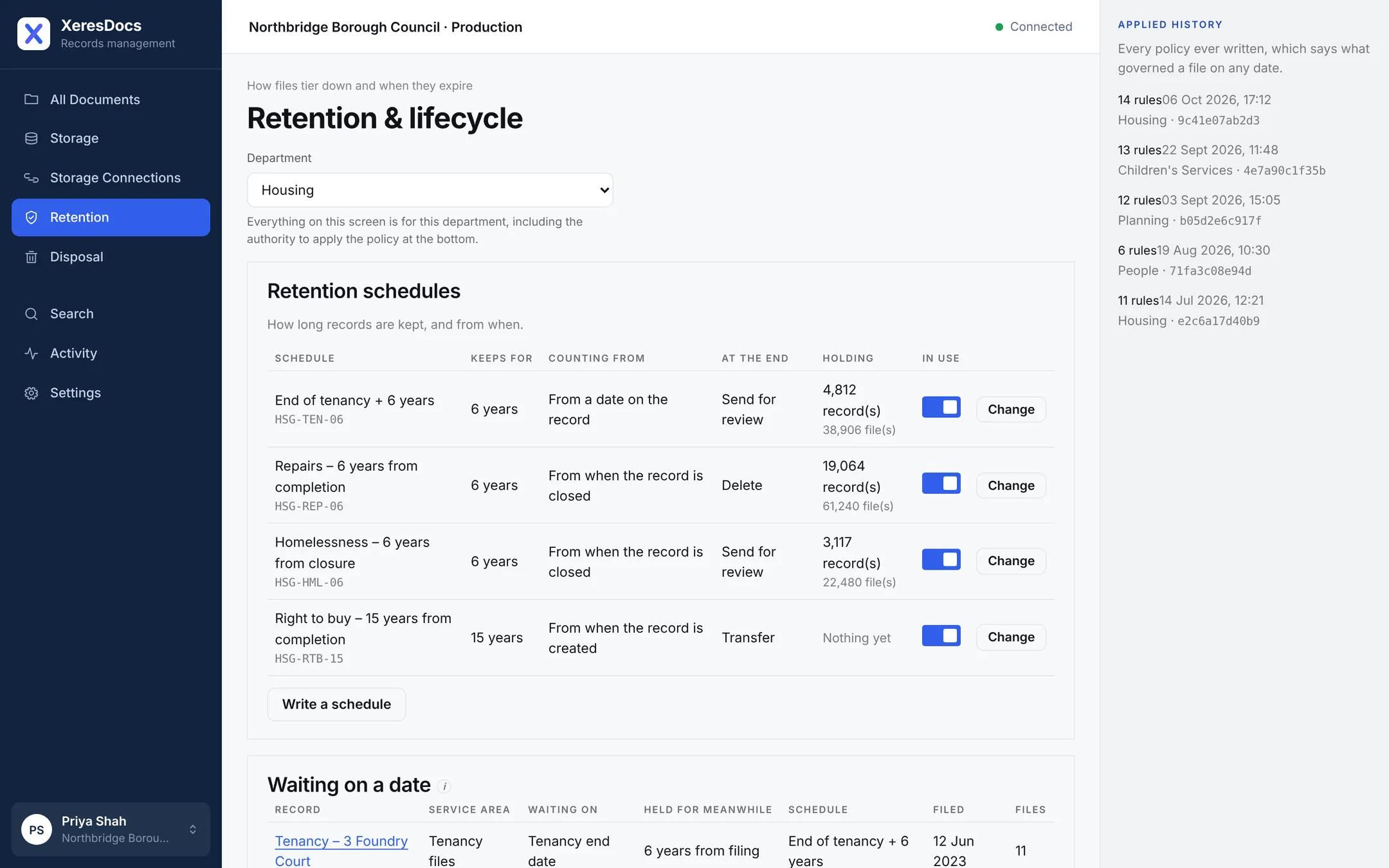
Retention that sets itself
Each department's schedule says how long records are kept, what the clock counts from, and what happens at the end. Every new file is held to it the moment it lands.
- One department at a time. Housing's schedules here; every department has its own.
- Your schedule, line by line. Six years from the end of a tenancy, then sent for review. Repairs are deleted six years after closing.
- A history of every change. You can always say which rules governed a file on any given day.
Step 7 of 8
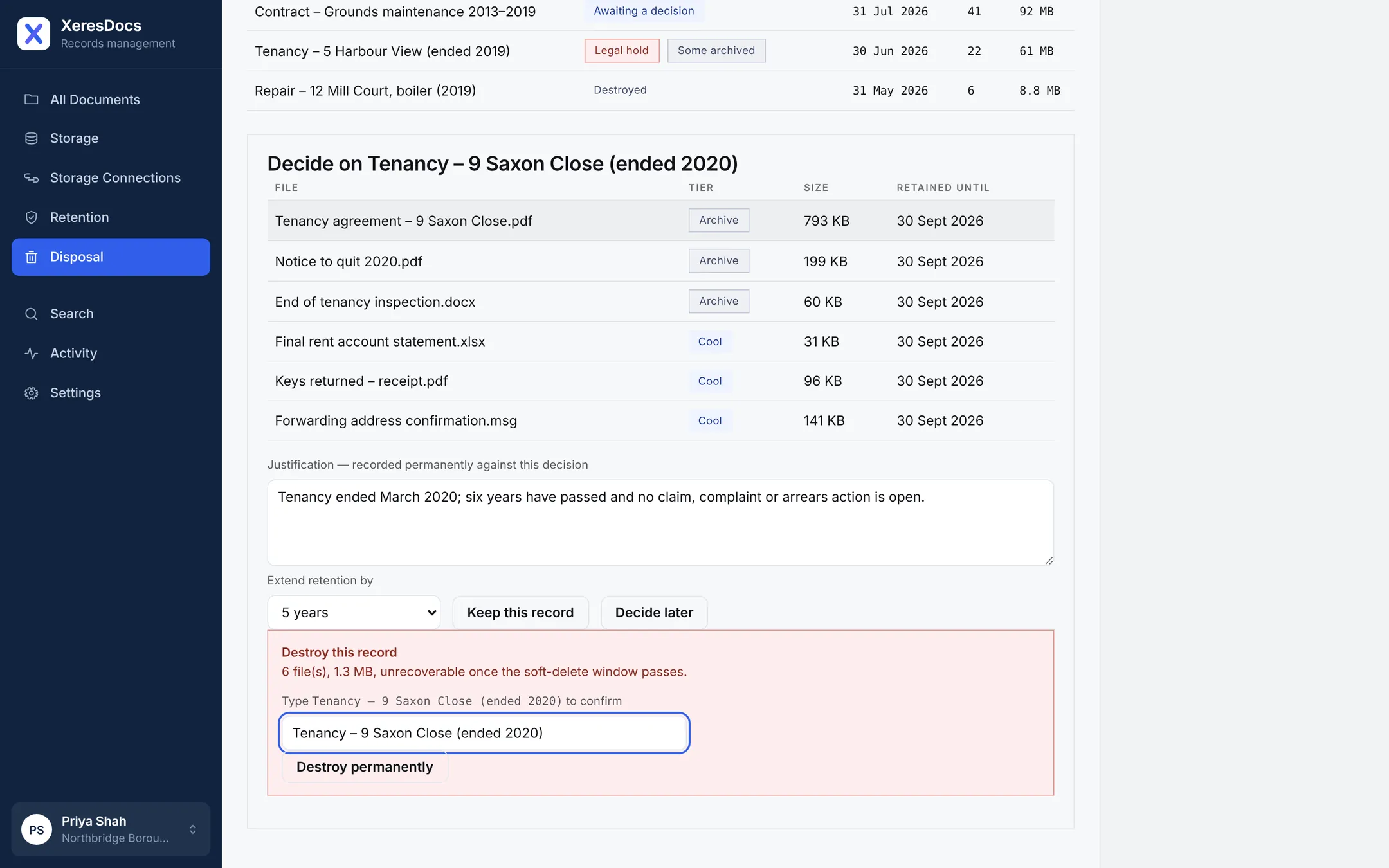
Disposal that waits for a person
The tenancy at 9 Saxon Close ended in 2020 and its six years are up. Priya reviews the files, records why, and chooses whether to keep it longer or destroy it.
- The reason, kept for good. Whoever decides writes down why, and it stays with the decision.
- Keep it longer. If there's still a reason to hold on, extend it instead.
- Destroy, deliberately. Only after typing the record's name, so it can never happen by accident.
Step 8 of 8
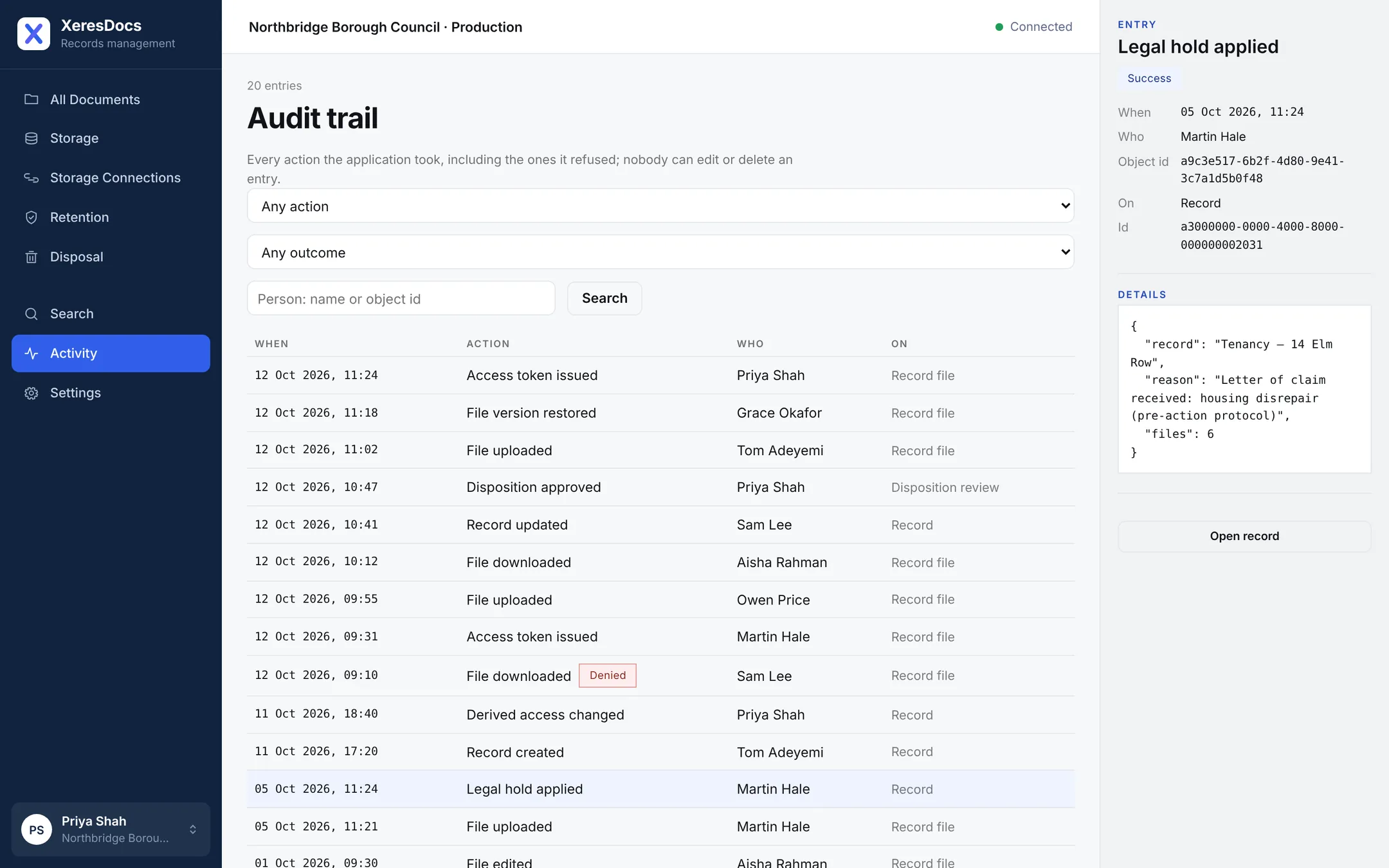
A history nobody can rewrite
Every upload, download, change, hold and disposal is recorded, including the things somebody tried and was refused. Nobody can edit or delete an entry.
- Filter the trail. By action, by outcome or by person.
- Refusals are recorded too. A download somebody wasn't allowed is in the history, not just the ones that worked.
- The full entry. Martin Hale applied the legal hold on 5 October, and why.
That's XeresDocs
Filed, found, protected, kept and disposed of, with your files in your own cloud the whole time. When you're ready, choose a plan or tell us about your organisation.